
Download Brave Search – Private, Ad‑Free, Independent Search Engine
Overview
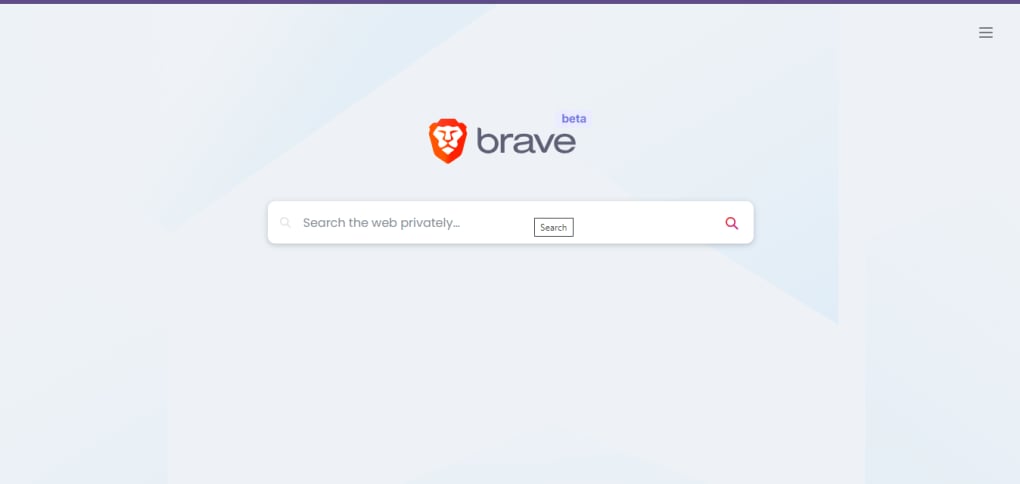
Brave Search is an emerging, privacy‑first web search engine built by Brave Software, the same team behind the popular Brave browser. Unlike legacy giants such as Google, Bing, or Yahoo!, Brave Search does not belong to a massive technology conglomerate, which means it can truly prioritize user privacy over advertising revenue. The service runs on its own independent index, allowing it to return search results without siphoning data to third‑party providers.
In its current beta phase, the engine delivers ad‑free results, while a future paid tier will introduce optional, non‑intrusive ads for those who wish to support the platform. Whether you are a longtime Brave browser fan or a newcomer looking for a secure alternative, Brave Search offers a transparent, community‑driven approach that aims to eliminate tracking, profiling, and algorithmic bias. By leveraging a combination of its proprietary index and selective partnerships (e.g., Microsoft Bing for image queries), Brave Search strikes a balance between independence and comprehensiveness, delivering fast, relevant results while keeping every click, query, and browsing habit completely private.
Core Features of Brave Search
- Independent Index: Generates results from a self‑maintained web index, reducing reliance on external search providers.
- Zero Tracking: No cookies, no IP logging, and no behavioral profiling—your queries stay to yourself.
- Ad‑Free (Beta): The beta version serves results without any advertisements, ensuring an uncluttered experience.
- Community‑Curated Ranking: Future updates will allow users to influence ranking models, combating bias and censorship.
- Seamless Brave Browser Integration: When paired with Brave, search results appear instantly with built‑in privacy protections.
- Cross‑Platform Availability: Accessible via any modern web browser on Windows, macOS, Linux, Android, and iOS.
- Secure HTTPS Connection: All traffic is encrypted, protecting data in transit from eavesdropping.
- Transparent Algorithmic Updates: Brave publishes changelogs and performance metrics, fostering trust.
These features combine to create a search experience that feels familiar yet fundamentally different. The independent index means you receive results that are less filtered by commercial interests, while the zero‑tracking policy aligns with the growing demand for digital privacy. The upcoming community‑curated ranking system promises to democratize how results are ordered, giving power back to the end user. Moreover, because Brave Search is built to work flawlessly with the Brave browser, users benefit from instant suggestions, built‑in ad blockers, and a unified privacy shield that covers both browsing and searching. Even if you prefer Chrome, Firefox, or Safari, you can still set Brave Search as your default engine, making the privacy boost accessible regardless of your preferred UI.
Installation, Setup & Compatibility
Getting started with Brave Search is intentionally straightforward. Since it is a web‑based service, there is no traditional “installation” process; you simply navigate to search.brave.com using any modern browser. However, for users who want a deeper integration—especially Brave browser fans—follow these steps:
- Download the Brave Browser (optional): Visit brave.com/download and select the installer for Windows, macOS, Linux, Android, or iOS. The installer is free, lightweight, and automatically updates.
- Set Brave Search as Default Engine: In Brave’s settings, navigate to Search Engine → Manage Search Engines → Add New Search Engine. Input the following:
- Name: Brave Search
- Keyword: brave
- URL:
https://search.brave.com/search?q=%s
- Configure on Other Browsers: For Chrome, Edge, Firefox, or Safari, open the browser’s search engine settings and add the same URL template. This makes Brave Search available from the omnibox or address bar.
- Mobile Integration: On Android and iOS, you can set Brave Search as the default in the system‑wide search settings (iOS: Settings → Safari → Search Engine; Android: Settings → Apps → Default Apps → Browser App). Alternatively, install the Brave browser from Google Play or the App Store for a one‑tap solution.
Brave Search works on all major operating systems that support a modern web browser, including Windows 10/11, macOS 10.15+, Linux distributions with recent Chromium‑based browsers, Android 8.0+, and iOS 13+. Because it relies on HTTPS and standard web technologies, there are no special hardware requirements—any device with an active internet connection can safely access the service.
After setting Brave Search as your default, you’ll notice immediate privacy benefits: no third‑party cookies are stored, and your search queries never leave the encrypted connection. If you ever need to revert to a different engine, simply return to the same settings page and select your preferred provider. The flexibility of a web‑based search engine means you can switch back and forth without reinstalling software or losing data.
Pros and Cons (Including Frequently Asked Questions)
Pros
- Truly independent index that reduces reliance on Google or Bing.
- Zero tracking and no user profiling, ensuring complete privacy.
- Ad‑free experience in beta, with a clear roadmap for optional, privacy‑respectful ads.
- Seamless integration with Brave browser for instant results and unified privacy.
- Cross‑platform support; works on any device with a modern browser.
- Transparent development, with public roadmaps and community‑driven ranking models.
Cons
- Beta stage means occasional glitches and incomplete feature set.
- Image search still relies on Bing, which could introduce minimal tracking for those queries.
- Smaller index compared to Google may affect niche or very recent content.
- Limited advanced search operators compared to legacy engines.
- Community ranking system is not yet live, so bias mitigation is still in development.
Frequently Asked Questions
Is Brave Search completely free?
Yes, the current beta version is entirely free and ad‑free. Brave plans to introduce an optional paid tier with enhanced features and a non‑intrusive ad model, but the core search experience will remain free for all users.
Does Brave Search store any of my search history?
No. Brave Search does not log IP addresses, search queries, or click‑through data. All searches are processed anonymously over an encrypted HTTPS connection.
Can I use Brave Search on mobile browsers without installing the Brave app?
Absolutely. Since Brave Search is a web app, you can set it as your default search engine in Chrome, Safari, Firefox, or any other mobile browser by adding the custom URL https://search.brave.com/search?q=%s.
How does Brave Search handle image searches?
For image results, Brave Search currently partners with Microsoft Bing. While this means Bing processes the image query, Brave does not share any identifying user data with Bing, maintaining overall privacy.
Will Brave Search ever show personalized results?
Personalization is limited to the session and does not involve long‑term profiling. Brave’s philosophy is to keep personalization optional and transparent; any future personalization features will be clearly disclosed and opt‑in.
Brave Search delivers a compelling, privacy‑centric alternative to mainstream search engines. While still maturing, its independent index and ad‑free experience set a high bar for user‑first design. The occasional reliance on Bing for images is a minor trade‑off, but the overall commitment to transparency and community governance makes Brave Search a standout choice for anyone serious about protecting their digital footprint.
Conclusion – Why You Should Download Brave Search Today
In a landscape dominated by data‑hungry giants, Brave Search offers a breath of fresh air—an independent, privacy‑first search engine that respects your right to browse without surveillance. Its self‑maintained index, zero‑tracking policy, and ad‑free beta create a user experience that feels both familiar and liberating. By pairing it with the Brave browser, you unlock seamless integration, instant results, and a unified shield against trackers across the web. Even if you stick with your existing browser, setting Brave Search as the default engine is a quick way to start safeguarding your queries immediately.
While the platform is still evolving—some advanced features and a full community ranking system are on the horizon—the core offering is already solid enough for daily use. The occasional reliance on Bing for image searches is a transparent compromise that does not jeopardize the overall privacy promise. As Brave continues to expand its index and roll out new tools, early adopters will benefit from shaping the future of a truly independent search ecosystem.
Ready to take control of your online searches? Visit Brave Search now, set it as your default engine, and enjoy a faster, safer, and more private web experience. Your data belongs to you—let Brave Search help you keep it that way.



.png)



